New WindLight Viewer (79674)
Tuesday, February 12th, 2008 at 7:06 PM by: Pastrami Linden 
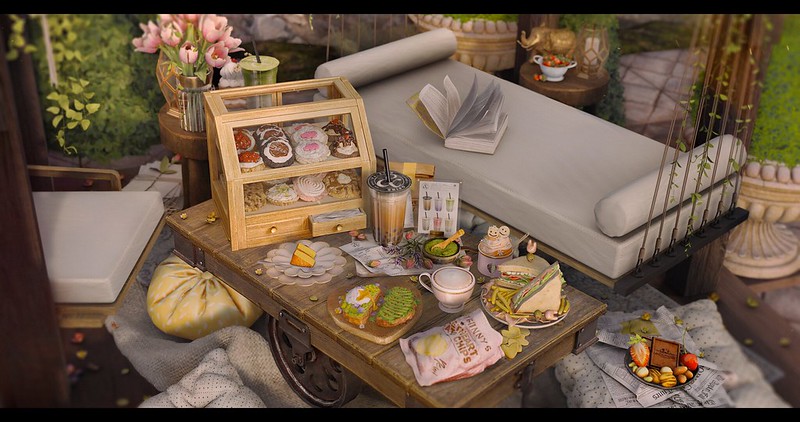
Photo courtesy of Lano Ling
Hey all. Firstly, if you’re using a Mac and running Leopard, please make sure you’ve updated to Leopard 10.5.2! Do this process at least twice to ensure you get the latest GL drivers!!! Bold!!!
And now, Bugs fixed…
* iMac ATI 2400 water is checkerboarded
* Crash when tracking avatars
* Give Day Cycle Editor a Help Button to Clarify Usage
* Map is drawn too large when Second Life window is not maximized
* VWR-3241: WindLight: Particle density is much lower than main viewer’s at equivalent settings
* Windlight: HUD - alpha textures and settext incorrect
* Default presets can be edited
* VWR-3215: WindLight: Build tools > Texture tab shows Glow value for objects you can’t modify
* VWR-3882: WindLight: Sky Mesh Detail should be High @ Ultra, and needs a “?” description too
* Find On Map, then Stop Tracking removes dot from minimap
* VWR-3195: WindLight: Water doesn’t stop moving when Wave Direction is 0.00
* VWR-3708: WindLight: Shiny invisiprims appear see-through
* VWR-3140: WindLight: “W” for West absent in Mini-Map and World Map
* Windlight: Horizon not flat when viewed from an altitude
* new debug setting RenderUseCleverUI
* UI problems on MBP
* Flexi optimizations
You can see the full list of open WindLight bugs here. Keep on using, issue tracking/reporting, commenting on the viewer, and especially attending our WindLight office hours. These are at:
- Brampton Linden Stage: 106/166/25
- Tuesdays 8:00am - 9:00am PDT (ongoing)
- Thursdays 1:00pm- 2:00pm PDT (ongoing)
If you miss a session, transcripts are posted here.
Below you’ll find links to important info related to WindLight:
Happy lighting!!
Regards,
Pastrami Linden and the WindLight Team


February 12th, 2008 at 6:59 PM
LOOOOOOOOOOOOOOOking gooooood
February 12th, 2008 at 7:02 PM
Cool.. but will you ever post a indoor snapshot to show how WL looks so bad indoor
February 12th, 2008 at 7:04 PM
YAY-ESSSS! Woot!
February 12th, 2008 at 7:12 PM
/me downloads and installs the new windlight
/me runs to the debug menu and discoveres the trure/false menus are FIXED
/me hoos!
/me thanks so far so good and is it me or does this run faster?
/me thinks the windlight team should replace the RC0 and Stand viewer teams for their efforts all is good in Sl again
February 12th, 2008 at 7:17 PM
Hopefully finally something good?.
February 12th, 2008 at 7:20 PM
Can you please fix the annoying clutter of this client? The Stand Up, Release, and Mouselook, etc. buttons are constantly somehow moving slowly up the Client and blocking the Chat view. And then popup messages stretch halfway up the screen.
February 12th, 2008 at 7:20 PM
/me heaves a little sigh for herself and all the others who can’t afford to upgrade to Leopard yet
February 12th, 2008 at 7:20 PM
Yay
February 12th, 2008 at 7:26 PM
From Second Life Wiki :
” WindLight is currently viewer-side only, which means, among other things, that when you change sky settings, only you will see those changes. Longer-term, WindLight will replace server-side functionality (…/…) So, when will this happen? Tentatively, early 2008. We don’t have a specific date yet, as it depends on successfully fixing the bugs in the current First Look: WindLight first and doing other work which preempts the server-side phase, but we promise to announce more news as it becomes available. ”
We now are early 2008, so then can we please have a more precise schedule on this topic ?
Thx in advance
V.
February 12th, 2008 at 7:27 PM
Okaaaaay, now how about that memory leak?
February 12th, 2008 at 7:30 PM
@ 7
You don’t need Leopard to run Windlight. I’m still on 10.4.11, and it runs just fine.
FPS do seem up in this release for me too (so far, knock on wood).
February 12th, 2008 at 7:35 PM
Yay Dynamic Reflections are back!!!!
February 12th, 2008 at 7:38 PM
Wow that’s fast! Updated yesterday to 10.5.2 and now already an update on windlight???
I feel more sorry for windowsusers who had to wait so long for vista support on the main client than for the people who can’t afford a leopard upgrade as its hafl the price of a windows upgrade (sorry waterstar)
February 12th, 2008 at 7:39 PM
Brilliant fixes… Big thank you LL
(2GHz iMac intel Core 2 Duo /Mac OS X version 10.5.2)
February 12th, 2008 at 7:42 PM
Ok, turning on RenderUseCleverUI gives a 15% performance increase with chat history, IMs and inventory open. (Nvidia/Vista)
That is great, however even with that on, closing IM/history and inventory still gives /another/ 15% performance inprovement.
So.. much better, the UI windows have always been amazingly huge client lag inducers, and this seems to cut it in half.
February 12th, 2008 at 7:43 PM
Thats it for this update?
February 12th, 2008 at 7:45 PM
And uh.. #13… Who had to wait for Vista support? I’ve been on Vista for over a year now with SL…
February 12th, 2008 at 7:49 PM
Since the updates all planar textures on cylinders, tubes or tapered cubes are borked. They are not planar at all. Things like plank floors are all complete trash.
February 12th, 2008 at 7:56 PM
Uh yeah, awseom job guys, but it seems the bug of the Release key’s button and the Stand up botton are still creeping up the screen and eventually dsissapear when you go in and out of mouse look, it only happens if you have the chat bar set to not close after hitting enter. After it all poofs and you manually close the chat bar then the buttons return to their right place but if you open the chat bar again they poof. This is the only bug I’ve had in the new WL set and this is somthing that I’m sure a lot of people are haivng an issue with.
February 12th, 2008 at 8:00 PM
looking excellent I will now get my new graphics card sunset mode is brill
February 12th, 2008 at 8:10 PM
Unfortunately this release STILL crashes at the Precaching stage.
Back to JIRA….. sighs
February 12th, 2008 at 8:16 PM
I find that local lighting lights me up far too much (try testing your avatar with a facelight as a test) - the last viewer was just about perfect but i have a headache looking at my avatar now.
Thanks for all your hard work…it’s so close to being usable for every day.
February 12th, 2008 at 8:16 PM
what the heck happened to planar mapped textures and textures with alphas? They are seriously whacked. *cries at all her work gone to sheet*
February 12th, 2008 at 8:17 PM
I noted sometimes now very different from the past at night. First, it can still see the white cloud over the sky. Second, I cannot see the moon anymore as before. The track of it raise and down change to a very high angle that make it always over my head. Windlight night now seem let moody as before. I am not sure whether it is caused by too bright.
And there are too many people like to use the sand beach prims that look like growing in the night too. Too Bad.
February 12th, 2008 at 8:19 PM
There appears to be some sort of LOD issue on planar mapped textures, on anything. shame. I was excited. *sigh*
February 12th, 2008 at 8:22 PM
wait we have to run Leopard? The worst OS update Mac has ever released? Damn I love windlight but not that much…
February 12th, 2008 at 8:25 PM
Planar mapping of textures is futzed up.
February 12th, 2008 at 8:25 PM
still that damn annoying “Release Key” location, otherwise its fine
February 12th, 2008 at 8:32 PM
Well, the release keys button migrating upwards as you go in and out of mouselook still hasn’t been fixed (Windows XP Pro SP2, eVGA nVidia 7950GT KO)
February 12th, 2008 at 8:34 PM
Planar is totally messed up and now everything looks horrible. Please fix this asap. How can we build like this? Impossible and I am currently in the middle of a building project. *frowns*
February 12th, 2008 at 8:37 PM
#26, someone else pointed out that Leopard is not required. I think they emphasized it for the people who have Macs that use video cards that have those GL drivers. Those of us on older Macs don’t have that sort of thing.
February 12th, 2008 at 8:46 PM
All planar textures are borked now D:
February 12th, 2008 at 8:54 PM
Yeah
The planar textures bug messes up the C:SI HUD
Very cursory testing, or what?
February 12th, 2008 at 8:59 PM
I installed the new WL client thinking “does this mean the map isn’t going to freeze me anymore?” Newp, still freezes me about 75% of the time, only now I get this REALLY annoying flicker in which my entire screen flickers rapidly from normal view to total nighttime darkness and back several times.
I feel like I’m in a bad disco.
Might have been a good idea to make this one optional instead of required guys. It AIN’T workin’! I’ve been a devout WL user since it’s re-release because it WAS more stable for me than the regular client, but now I”m going to have to do the regular client updates and abandon this until it’s fixed.
/me grumbles and kicks the box on her way out the door.
February 12th, 2008 at 9:02 PM
How do I get my windlight photos on SL blog
February 12th, 2008 at 9:03 PM
Yay for bugs fixed. But bugs added means that it crashes my router/modem and I have to restart it.
February 12th, 2008 at 9:08 PM
Planar texturing is fubared. How do I download the previous version?
February 12th, 2008 at 9:08 PM
The new release of WL downloads incorrect textures for my house. It is supposed to be brick, but comes up board wood. I’ve tried adjusting the graphics settings, but nothing works. Once again, LL has taken a perfectly good version and ruined, so I am now confined back to RC1. I really enjoy the WL experience and hope that LL gets this fixed quickly.
February 12th, 2008 at 9:13 PM
@ 37
You can’t use the previous version because LL locked it up so you have to download the new borked client.
Isn’t that nice of them?
February 12th, 2008 at 9:23 PM
Hey guys- thanks for the comment on planar textures- we’ll take a look at it.
Oh, also- any UI-related discomfort (Release Keys, etc.) is tied to the UI changes being worked on right now in Release Candidate (they’re not final!)- we’re just adopting those changes in First Look- so please note accordingly and try to comment on graphics-related issues.
Thanks!
-P
February 12th, 2008 at 9:26 PM
So… Despite the dozens of complaints about the user UI making the release keys buttons etc. do goofy things and black out chat you did… Nothing? o-o
February 12th, 2008 at 9:26 PM
Woohoo! Downloading into the light.
February 12th, 2008 at 9:37 PM
I hope the planar texture issue is fixed soon. Otherwise, looks good.
I have found that setting the affinity to a single core on multi-core processors greatly improves performance. There seems to be a problem with the way SL is handled on multi-core processors. (might be a vista issue) It uses several times as much CPU time and there is more memory leakage if you don’t set the affinity to a single core.
February 12th, 2008 at 9:56 PM
I now see severe Jaggies on everything, like… really stepped. It’s quite 1982 CGA in quality.
Second Life 1.19.0 (79674) Feb 8 2008 16:46:37 (Second Life WindLight)
You are at 201152.7, 236847.7, 21.7 in Neverland 2 located at sim4990.agni.lindenlab.com (64.129.47.244:13012)
Second Life Server 1.19.0.79368
CPU: Dual i386 (Unknown) (2160 MHz)
Memory: 2048 MB
OS Version: Darwin 9.2.0 Darwin Kernel Version 9.2.0: Tue Feb 5 16:13:22 PST 2008; root:xnu-1228.3.13~1/RELEASE_I386 i386
Graphics Card Vendor: ATI Technologies Inc.
Graphics Card: ATI Radeon X1600 OpenGL Engine
OpenGL Version: 2.0 ATI-1.5.24
LLMozLib Version: 1.1.0 (Mozilla GRE:1.8.0.12_0000000000)
Packets Lost: 0/3637 (0.0%)
Viewer Digest: 71aeb512-ff67-95fa-8e42-06af579bf82a
February 12th, 2008 at 9:57 PM
The Preferences dialog is stuck on the bottom of the screen, too
Or at least, before you log in, it’s completely stuck. Once you log in it’s fine.
February 12th, 2008 at 10:01 PM
Forgot to say, according to fast timers 100.4 out of 263 in a frame is spent drawing one avatar. This seems alot slower than before.
February 12th, 2008 at 10:11 PM
At 1.4fps it’s unusable. I don’t know if its the new leopard or the changes you’ve made, but the last crashy version was fastest ever and this is slowest ever.
A warning to anyone planning on doing the Leopard upgrade… after flipping back to the RC, I also see this jaggy issue there. YMMV but SL just became pretty ugly.
Maybe DONT upgrade to the latest leopard just yet until other people can confirm that it’s OK.
February 12th, 2008 at 10:12 PM
Crashing In Windlight EVERY Time I Move More Than A Meter Or So Or At About 5 3 Minute Intervals.. MUCH Worse Than Before.. In Short, Windlight Has Become Entirely Unusable Even With The Newest Drivers. I Can’t Even Tell You WHY I’m Crashing, As The Submit A Crash Report Does NOT Appear To Be Functioning.
February 12th, 2008 at 10:25 PM
Still forgets half my preference settings each time I relog.
Running ultra and everything max’d Anisotropic and have staircase rendering of edges.
February 12th, 2008 at 10:26 PM
Hi, Lindens.. and fellow clients..
Just wanted to stop by and say that I am happy with MOST if not all the bug fixes. Great work.
However..
One HUGE problem that still seems to be an issue, is the freezing..
The whole UI and game, freezes, and we are unable to move.
I have a gaming pc.
My pc was BUILT to play this and many other games.
I over meet the basic/recommended specs.
Altho.. just to test it.. I had my brother in New York try it on his dell.
And he has yet another top of the line pc.
And HE had the same issue.
I love windlight, I do hope that this issue is dealt with..
I would love to be able to do my wedding day pics in windlight.. mind you that is next week.. lol
/me crosses her fingers and prays to the all holy linden team..
February 12th, 2008 at 10:30 PM
Where’s the hot key for Environment editor? Ctrl Alt E
It’s gone! *sobs* I’ve been editing my sky non-stop.
February 12th, 2008 at 10:37 PM
Crashtasticly unstable, i have literally crashed 20 times since upgrading, and that is no exaggeration.
February 12th, 2008 at 10:40 PM
why does this have to be a required update? your QA did a wonderful job there, not.
are you so happy to bring out new stuff you dont test it or how do these not so minor but oh so obvious flaws come up every time?
February 12th, 2008 at 10:58 PM
@43 Shadowspawn Soothsayer: how do I do that?
I’ve heard about it b4 and wanted to try it…
TY
February 12th, 2008 at 11:07 PM
I dunno, I kinda liked how when you went way up, the horizon sort of curved a little. It sorta lended a sense of altitude…
February 12th, 2008 at 11:15 PM
I now have to go and reset all my graphics settings, which the client decided needed to be reset to default levels upon first run … Can you fix it next time so that, what we know works best on our system, remains - rather than what you think does? Ta.
February 12th, 2008 at 11:16 PM
@all crashes and low fps - have you tried manually clearing your secondlife caches and then reloading SL? That way SL gets a true clean slate in terms of cache etc to work from. It’s worth a shot just to prove me wrong
February 12th, 2008 at 11:18 PM
Wow! I am noticing higher frame rates and very much improved resonse when turning and zooming in/out. Thanks!
February 12th, 2008 at 11:18 PM
Sayeth Pastrami: “Hey guys- thanks for the comment on planar textures- we’ll take a look at it. Oh, also- any UI-related discomfort (Release Keys, etc.) is tied to the UI changes being worked on right now in Release Candidate (they’re not final!)- we’re just adopting those changes in First Look”
That’s a neat trick, by incorporating random changes from random releases you can obtain truly novel clients that bear no relation to any parent or child release. That must really aid in debugging; perhaps that’s how you didn’t notice that planar textures don’t work, you must have been looking at yesterday’s build.
Inconceivable!
February 12th, 2008 at 11:20 PM
Oh yeah… planar textures are very, very broken… this is not good, estimated time on fix please?
February 12th, 2008 at 11:20 PM
Badly flawed. Textures are messed up. Freezes still. FPS is dramatically lower.
Is this a ploy to get us to abandon Windlight and test the Release Candidate?
The normal client works better and that is saying something
February 12th, 2008 at 11:27 PM
Works smooth as a whistle for me.
My Specs
Second Life 1.19.0 (79674) Feb 8 2008 16:51:12 (Second Life WindLight)
You are at 263213.2, 299027.0, 22.8 in Inochi Island located at sim5646.agni.lindenlab.com (8.2.34.202:12035)
Havok4 Beta Server 1.19.0.79349
CPU: Intel Core 2 Series Processor (2399 MHz)
Memory: 3071 MB
OS Version: Microsoft Windows Vista (Build 6000)
Graphics Card Vendor: NVIDIA Corporation
Graphics Card: GeForce 8400 GS/PCI/SSE2
OpenGL Version: 2.1.2
LLMozLib Version: 1.1.0 (Mozilla GRE:1.8.0.12_0000000000)
Packets Lost: 1/14220 (0.0%)
Viewer Digest: 3399391e-5c2d-78b2-721e-f28dc9172533
February 12th, 2008 at 11:29 PM
I know you guys are trying to streamline the user interface, but as a lot of people have pointed out in some respects you’re managing the opposite. Moving the bottom left buttons away from the centre of the screen when possible may seem like a nice little screen-space saving idea, Several times now I’ve gone to hit a button in that area, but another button disappeared and shifted all the buttons as I was clicking.
I think the Communicate setup did see some amount of improvement this time around, but I would love nothing more than to remove the redundant chat bar and Gestures menu attached to the Local Chat history. Make it an option. THAT would really save me some screen-space.
Also, as others have said, bring back ctrl+alt+e! When working on builds, or preparing product shots, I need to fiddle with light effects a lot. That shortcut made things that much easier. Why was it removed?
As for comments on how “awful” Windlight looks indoors? I couldn’t disagree more. I’ve been working almost exclusively on indoor builds for a long time now. Caves, enclosed corridors, building interiors. The only problem is that prims as of yet do not cast shadows and light sources cannot be made powerful enough to get some desired effects without piling several together.
If cast shadows ever come to SL I’d love to be able to light up interior builds with local lighting, but I expect the problem with how weak light sources are, even at maxed out settings, will become even more apparent. Of course, I saw someone complained their facelight was too powerful, so maybe that has been improved! One can hope!
February 12th, 2008 at 11:47 PM
@63: ctrl+alt+e is the Shortcut for the European Currency Symbol €. By reason of this they needes to remove that shortcut. Sure they will find another one not blocking other functions.
February 12th, 2008 at 11:49 PM
@22..agreed, the lighting is so bright…on your marks, get set, facelights off!! I have a friend who’s wearing a white dress and using a face light right now and she’s currently so bright that I will be using her as a spotlight in my next SL video…lol.
February 13th, 2008 at 12:16 AM
Hey Pastrami. Any info on when we will get the following things:
1. PRIM_GLOW parameter for llSetPrimitiveParams, and llSetGlow
2. The ability to set our own default skies. I’m sick of having to change it on every login
3. Tradeable asset windlight settings.
??
February 13th, 2008 at 12:47 AM
Heey
Thanks for this new vieuwer, its kinda OK:)
Although I reported an important bug but it isnt fixed yet.
The VWR-4722.
If you could fix that one I would be very happy again;)
Thankies.
February 13th, 2008 at 12:51 AM
Small complaint… i’m getting tired of seeing these’ optional updates’ then logging on to find its manditory. I’d really like to know, which is it… manditory, or optional?
February 13th, 2008 at 12:52 AM
Re: Planar textures: Do you Linden folks even test this stuff before releasing it?
Other than that, seems like a very stable client. Getting closer…
February 13th, 2008 at 12:59 AM
Yep Planar textures need fixing, surprised it was not picked up.
Interface too fussy and illogically organised.
But still love Windlight, thanks
February 13th, 2008 at 1:28 AM
let me guess:
time until fix of the things you broke with this viewer:
1-2 weeks. reason? it’s a test software, so nobody cares about it.
except for all those who use windlight.
February 13th, 2008 at 1:53 AM
Wows @ 71…I’d guess that fixes take some time because there is actual effort involved?
Thanks again Lindens, still lovin’ the WL client over here. Bugs or not.
February 13th, 2008 at 1:54 AM
So that´s why nothing is working, you were working behind the scenes on new kick ass viewer that only a fraction of 10% of population will try using and which will only work for 1% of population. What a frustrating waste of resources.
Too bad that the rest of us is getting lagged to hell by a few. Once more, very well thought through.
Time to log off, nothing will work until after the weekend anyways…
Needless to say I boycott WL & Voice and i haven´t even bothered finding out what Mono is….Simply don´t care!
Just want stabile grid and reliable service…How often have you heard this now? A million times? Oh no, forgot, you don´t listen to your customers…
February 13th, 2008 at 1:55 AM
Can you please explain why this download (like all others) is offered as an upgrade of choice, as when I log in i have no option but to download it?
The message is ‘a new windlight viewer is available, you must download this upgrade before you can proceed’
not optional as far as I’m concerend.
February 13th, 2008 at 2:14 AM
Windlight looks very pretty, but just like voice, it is something shoved down our throats. I dread the day I HAVE TO install it, learn all my buttons over again, do lots of sliding and readjusting and still know that my textures don’t show properly to others even if they show fine to me, due to that everybody has their own windlight settings.
It just seems a way to make SL more complex and more buggy. Voice really borked up group IM and chat, Windlight borks textures — I don’t even have the windlight viewer and already I see several textures completely borked (a dark stain covers them).
I wish they’d leave Windlight on the Beta grid, or limit it to a few scenic sims for that purpose, rather than inflict it on everybody just like voice, shoving it down our throats while what we were asking for and needed, was system stability.
And if you want to do us al a favor, what we NEED is a “back button” for TP — just like when web browsing it would be nice to just TP back where you were before, especially handy if you TP by mistake, or were sent TP to find out you really don’t want to be there.
February 13th, 2008 at 2:17 AM
Audio streaming is still turning off when changing sims.
Esc key is still not leaving communicate window.
Small I know but to some people it’s really really annoying and is more than likely a 5 min fix.
February 13th, 2008 at 2:23 AM
@58 look at how LL has adjusted you setup to mater your system abilities. If you were running a higher setting then what is reccomanded then that the reason of higher rfp. I noticed this too . Until i saw they adjusted setting to matter my system. I put them where i had them and they dropped again. Cute little trick they played a?
February 13th, 2008 at 2:48 AM
Windlight does not “bork” textures, or make them look “wrong” because people are using different settings. Good textures should look “right” no matter what lighting they’re subjected to.
Light affects colour, shading obscures. Light that is too bright washes things out (I’ve not once seen that term, “washed out”, used correctly in regards to complaints of Windlight. Washed out is what particularly bad face lights do to textures, not Windlight’s shading).
Look at some contemporary videogames, the ones celebrated because of the quality of their graphics. Everything being complained about in regards to Windlight in SL is seen as a FEATURE in said games.
Look at any CG production since lighting has been introduced to the medium. Light and shadow affects how things look, just as it does in reality (that thing you see when turning your head away from the computer monitor).
If you believe the textures in your favourite high-end videogame look in-game as they do in Photoshop, you’re completely mistaken. If anything, they’re subjected to even more “post-production” effects than we see in SL. Bump mapping, specular mapping, and other effects.
It doesn’t help that local lighting design is pretty much ignored by all but a handful of people in SL.
Speaking of lighting, there’s another thing I’d like to see in Windlight. The ability to make odd-shaped areas in regar4ds to the radius of light sources. Say I’ve got a row of lights against a wall. I’d love to be able to use one light source that is stretched wide to cover the area the individual lights would cover. As it is, one can only stretch the radius in all directions.
February 13th, 2008 at 2:56 AM
Oh, it is different moon moving track between normal and Windlight client. Now, I am at my water land. I see the moon above my eyeblow level in RC, but over my head under Windlight client. Cloud seen disappear when it really reach midnight sharp.
February 13th, 2008 at 2:56 AM
I don’t care what version we’re using. Please fix my ATI HD2900 video card. The memory leak is horrible and I’m using the latest drivers. I only bought this very last card on the market (the fancy 2900) because overall results showed a favorable response. Don’t make me feel like another SL tard again! I got a huge ass monitor and a smoking video card now. My old setup was better. Wah!
February 13th, 2008 at 3:04 AM
@75 as windlight is client side, if your not using the windlight client, you won’t notice -any- changes.
so quit moaning.
February 13th, 2008 at 3:13 AM
Will, we see the source code for this version at all? Still waiting for the release of the last LL-Windlight code here.
February 13th, 2008 at 3:19 AM
Okay everyone is free to go to my plot on Apple Island where I have a “Pod” on my property and also used the same pod as part of a build on the island nextdoor to mine — the bottom half of the pods has a dark stain on it. The texture no longer covers the prim but leaves the edges blank. The stain moves as you rotate your camera or walk by it. I see this same stain on the dance balls at clubs, so it’s not just my own textures that are affected. Tell me where the hell did that come from, all I know is that my textures are irretrievably stained on my builds and this appeared suddenly, at the very same time Lindens excitedly started blogging about Windlight getting introduced.
I have heard several times also that the introduction of voice, forced down our throats, had no relation to all the chat and group IM borking. Unfortunately as a user I have no doubt that the two are related. And it’s the same with Windlight and my stains.
February 13th, 2008 at 3:24 AM
Well, all this talk about a Leopard update required… Complaints of the beta being buggy… And considering how much of both don’t feel ready for prime time (to me), reminds me of the old adage:
“Those who live on the cutting edge of technology, tend to bleed a lot. ”
Enjoy!
Enysy
February 13th, 2008 at 3:25 AM
Please, please, please….
when posting blogs about new viewers, can you say in the title if it’s optional or mandatory update? That is one more word and it would save us some trouble if we just scan headlines an hour before in-world meeting. It would be even better to have mandatory updates announced a day earlier, but even that one word would help. Thanks.
February 13th, 2008 at 3:45 AM
Good news, on my slightly-ageing 1.83MhZ intel iMac there’s a huge performance jump with this version - about double the framerate at the same settings.
Minor point ; the Planar texture mapping seems to have been changed in this version - and not in a helpful way. I use this occasionally to get better water caustic effects and that’s now broken. Is it a deliberate change or a bug?
February 13th, 2008 at 3:56 AM
Windlight have a lot of performance faces more than standard client, is used by less people and its evolution is little slower than other client, the graphic reliability is uncomparable and under linux it is a lot more stable than std viewer. But less user mean more time to correct bug… like this damn floating standup button
February 13th, 2008 at 4:07 AM
Penny, windlight did “bork” the textures and I think it’s apparent since most of us here have a negative experience with planar since this most recent update. I am sure that we each have our own settings. Default textures are not effected, only planar. Now I am forced to use the regular client to build with.
February 13th, 2008 at 4:12 AM
@75
The back button wasbrought up about a year ago and the response (in blog) from the Lindens was that it was an excellent idea and would be implemented soon.
I have mixed feelings on the un-sooness of this. As it stands I sometimes end up with all my attachments up me bum (as they say in the old country). A Back button could introduce an even more serious issue. To wit, you TP somewhere and there’s your boots hangin out yer ass. So you hit the back button, return to yer previous location and now you have yer build coming out the arse.
Suggestion: before releasing even a test client to folks how about the developers go into world with the client and look around to see how it works?
February 13th, 2008 at 4:16 AM
Looking great! That photo by Lano Ling is amazing.
Thank you for fixing the PlayTypingAnim debug problem (it couldn’t be set to False).
February 13th, 2008 at 4:17 AM
I was experiencing a big mem leak with this version. I was at almost 2 gigs of ram use by it.
February 13th, 2008 at 4:37 AM
First off, let me say I’m a HUGE fan of Windlight. It’s greatly enriched the SL experience. That being said, there are a few backward steps with this latest release:
* Water looks dull when not facing in the direction of the sun. It’s appearance seems “creamier”, less sharp. A graphics optimization?
* Significantly more “jaggies” than prior release. These disappear however if one enables “anisotropic filtering”.
* When “anisotropic filtering” is turned on, distant textures tend to “shimmer”. The greater the distance, the greater the shimmer. This is true even looking out over the water where distinct gradients of the effect can be seen.
* Circular prim shapes are over optimized. Curved shapes appear very distorted when first viewed from >20m. ie: A circular prim will appear as an octagon until the avatar gets very close. This really borks my carousel
* At least on my rig the display has become less smooth when looking around, there’s more stuttering. Despite the fact that my fps has gone up (avg 25-32fps). This is true on my own sim, after all textures are loaded and cached. Playback under these optimum conditions should be much smoother IMO.
Just my 2 cents worth. Overall I’m pleased and punch with Windlight and the work you guys are putting into it. It’s just peachy!
~Shire
==============
CPU: Intel Quad Core Processor (3005 MHz)
Memory: 8192 MB
OS Version: Microsoft Windows Vista Ultimate (Build 6000)
Graphics Card Vendor: NVIDIA Corporation
Graphics Card: GeForce 7950 GT/PCI/SSE2
OpenGL Version: 2.1.1
February 13th, 2008 at 4:39 AM
Doh! I double posted to the wrong group! All that whining for nothing!
Anyway, the HD2900 is still crap and shouldn’t be. Somehow things seem to be better with this version. I didn’t relog once! More please.
February 13th, 2008 at 4:42 AM
Hey it reccomended me a “high” settings instead than ultra… mmm… kk im on 3.6ghz c2d with 4GB of ram and two 8800GTX ULTRA XXX in SLI. :O
February 13th, 2008 at 4:49 AM
@88
You’re quite right and I ought to have been more clear. People have been complaining about Windlight “ruining” textures since it was first released. The complaints steam from the introduction of the Windlight shaders and how they enhance light and shading. Some people even going to far as to claim that their textures ought to look exactly as they do in Photoshop, and fretting that since people can adjust their Windlight settings people’s textures will be ruined if not seen in precisely the right settings.
My comments were directed at that, not the planar texture bug which really is apparently (I’ve not seen it myself, but I’ve also not gone looking) an example of Windlight borking textures.
My apologies for the confusion.
February 13th, 2008 at 4:50 AM
Hi, in the update before of windlight a file called secondlife located in C:\Documents and Settings\****\Application Data\SecondLife\logs in 24h get 9 GB os space, making me impossible to run windlight version os SL, my question is (before i start install it), will this new update resolve that gigantic growing of that file?
February 13th, 2008 at 4:52 AM
@68 NAr
@74 Katie Usher
@85 dandellion Kimban
The Release Candidate & Windlight viewers are OPTIONAL to the Standard viewer (currently 1.18.5(3) ). If you choose to use one of the OPTIONAL viewers you must use the LATEST one so that LL can track what bugs affect what viewer, thus the mandatory update requirement of RC & WL clients.
———————-
@75 Pepper Haas
@89 Nad Gough
In the latest versions of the Release Candidate & Windlight (1.19.0) a clickable URL is generated to the Chat History of the location you just TP’d from which will allow you to return to where you just left (new feature). Just what people have been wanting.
Thank you LL for listening and for your tireless efforts for functional stability.
———————–
The latest versions of RC & WL are working pretty well on my 2.5 year old Powerbook G4 1.67GHz, 1.5Gb RAM, ATI Mobility Radeon 9700 w/ 128Mb, MAC OS X 10.4.11. Still unable to use Atmospheric Shaders though. But that’s the beauty of Windlight, the graphics can be EASILY customized to your systems capabilities.
Enjoy & Be Happy
February 13th, 2008 at 5:01 AM
Speaking of SLI #94… I did a search of the Windlight docs and couldn’t find any specific reference to Nvidia SLI support. Does SL/Windlight support it and/or will it ever? Some of my avatar parts look funny when I forget to turn it off atm in the standard viewer.
February 13th, 2008 at 5:09 AM
hurray
February 13th, 2008 at 5:23 AM
When will we see days that you don’t have to update to a new version every 3 days??? This is really out of hand. New Release Client then 2 days later New Windlight Client…
We are tired of BETA TESTING. When is SL gonna have auto updates????? Think if Microsoft made you download manually all their updates every 2 days & manually delete all your old software over & over & over week after week.
This is becoming a joke. Glad we got new versions but make the software update itself. People have no idea what they should be using anymore. One day get this tomorrow download this ohh wait don’t use that use this version. This has to be a major turn off for new users to SL.
February 13th, 2008 at 5:42 AM
Ok so, what about all us mac users who can;t afford to get the leopard upgrade yet, but are having NUMEROUS problems in-world with the current viewer? I crash on average of 20+ times per sl session, sometimes unable to even get back on for 20 minutes or more, i have broadband, not dsl or dial up… & No I dont know what my ram is, so people stop asking lol, i have a mac mini,m but everything worked WONDERFULLY till 1.18.5
February 13th, 2008 at 5:52 AM
Keeps crashing as just much as the previous version…. Totally useless for me.
February 13th, 2008 at 6:12 AM
Urantia Jewell thanks for that
As soon as I have the guts to try Windlight I am going to work that back tp thingy for all it’s worth lol.
But I still have no explanation for my permanently stained textures. It’s happened on my jewelry and some dress prims too, which I have had to throw away. It does not happen to all textures, it seems to happen more often to scripted objects (e.g. dance balls). I tried everything and I can’t get rid of this ugly stain.
February 13th, 2008 at 6:27 AM
Faster frame rates, but it seemed to crash a LOT more often on my Leopard 10.5.2 system, and yes, I did get the Leopard Graphics Update after upgrading the OS itself. Last night I gave up on WL and went back to the standard client, after about the 5th crash.
February 13th, 2008 at 6:36 AM
@Pastrami: Please correct the article to indicate that “if you’re using a Mac RUNNING LEOPARD (10.5), please make sure you’ve updated to Leopard 10.5.2″ if it’s not necessary for users running Tiger or Panther!
February 13th, 2008 at 6:38 AM
i been on second life for a year and using vista,i have a dns error coming up how do you get rid of it?
February 13th, 2008 at 6:41 AM
Well well… this release……….. crashorama.. just like the last version. I can be stood there scratching my a$$ and BANG…crash to desktop.
WL..so pretty… but useless… tyvm. Hope the crash reports are of use… if they are ever analysed of course.
February 13th, 2008 at 7:05 AM
Are you “EVE